
Temp Mail Not Receiving Emails: 10 Fixes That Work
Quick answer: Most "temp mail not receiving emails" problems come down to one of three things: the site blocks the domain, the address already expired, or the inbox page just needs a manual refresh. On Temp Bmail, every address expires exactly 10 minutes after you generate it, which catches more people than any other single cause. Check the time, hit refresh, and if it's genuinely gone, start over with a fresh address.
Key points:
- Addresses expire 10 minutes after you generate them, no exceptions.
- The inbox doesn't always auto-refresh the instant mail arrives.
- Some sites block disposable domains outright; no provider can fix that for you.
- Temp Bmail currently runs on two domains: tempbmail.com and garodi.com.
- It's receive-only. You can't send or reply from a temp address.
Use it on the web
Generate a free disposable inbox instantly
Get the Android app
Free disposable email on the go

You generated an address, you're staring at the inbox, and nothing's showing up.
Temp mail not receiving emails is one of the most common complaints about disposable inboxes, and the reasons are almost always boring and fixable. A temp email inbox empty of anything, even minutes after you were promised a code, usually traces back to timing rather than anything actually broken. Here's what's actually going on, and 10 real fixes, starting with the one people miss most often.
If what brought you here is specifically a temporary email not receiving verification code from one particular site, skip ahead to the domain-blocking section below. That's a different problem from a general "why is my temp mail not working" situation, and it has a different fix.
Why Isn't My Temp Mail Receiving Emails?
Before anything else: check the clock. A Temp Bmail address is only live for 10 minutes from the moment it's generated. That's not a soft guideline. After 10 minutes, the address stops accepting mail completely, and anything sent to it after that point is simply gone.
A lot of "it's not working" reports are really just this. Someone generates an address, gets distracted switching tabs to fill out a signup form, comes back a few minutes later, and the window has already closed.
How Do I Fix It, Step by Step?
Work through these in order. Most people are unstuck within the first three.
- Check how long ago you generated the address. Past the 10-minute mark, there's nothing to wait for. The address is already closed.
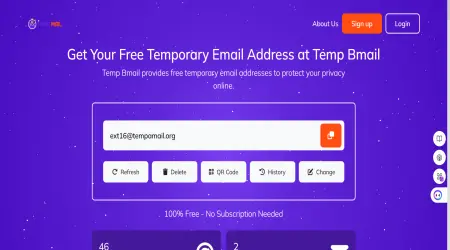
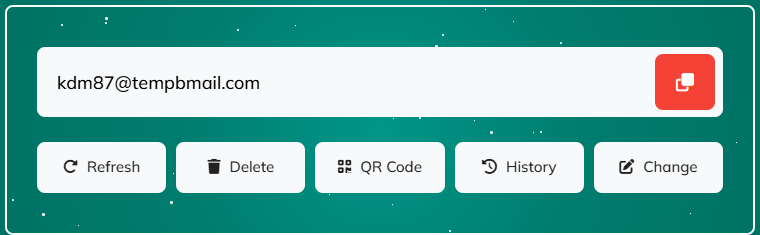
- Hit Refresh manually. The inbox doesn't always catch new mail the instant it arrives. A manual refresh often reveals it immediately.
- Copy the address instead of typing it. Use the copy button rather than retyping it character by character into a signup form.
- Give a genuinely slow email a minute or two. Most mail lands in seconds, but occasional real delays happen on the sender's end.
- Check History for a message you might have missed. If you suspect something arrived earlier, this is where to look before assuming nothing came through.
- Don't keep refreshing an address that's about to expire. If you're close to the 10-minute mark and nothing's shown up, generate a new address instead of waiting it out.
- Use Change to start over cleanly. This gives you a brand new address and resets the clock, rather than fighting an old one.
- Try the other domain if one gets rejected. Temp Bmail currently offers two domains, tempbmail.com and garodi.com. If a site blocks one outright, the other is worth trying.
- Accept that some sites will never accept it. Plenty of signup forms check new addresses against public disposable-domain lists before anything is even sent. No provider, including this one, can promise around that.
- Use a real address for anything you can't afford to lose. A temp inbox is for one-time codes and downloads, not accounts you'll need to recover later.
Why Do Some Sites Block It Instantly?
Most signup forms don't manually review every address. They check it against shared, community-maintained lists of known disposable-email domains before anything gets sent.
Projects like the disposable-email-domains blocklist, an open-source list with over 10,000 known domains, get pulled into countless signup forms and spam filters across the web. If a domain is on a list like that, mail to it can be rejected before it ever leaves the sender's server, and there's nothing a refresh or a new address on the same domain will fix.
How Do I Avoid This Next Time?
The short window is the main thing to plan around. Open the signup form first, get to the exact step that asks for an email, and only then generate your Temp Bmail address. That way the clock starts right when you actually need it, not five minutes before.
If a form takes you through several screens before it sends the verification message, keep an eye on the timer. It's easy to lose track while filling out a longer form, and by the time you reach the "check your email" step, the window can already be most of the way closed.
It also helps to have the inbox tab open and visible rather than buried behind the signup form, so you can glance at it and refresh without losing your place in the signup itself.
What Can't a Temp Email Do Here?
Be realistic about the limits. Temp Bmail is receive-only, so you can't send or reply from the address, only read what arrives. It also can't guarantee any specific site will accept it, since that decision happens entirely on the other end.
And once an address passes its 10-minute window, it's genuinely gone. There's no way to extend it or recover mail sent after it expired. If you realize partway through a signup that you'll need more time, it's faster to restart with a new address than to hope the old one still has life left in it.
Frequently Asked Questions
Why does it work on some sites and not others?
Each site decides independently whether to accept disposable domains. One site might let it through while another checks the domain against a blocklist and rejects it instantly. This has nothing to do with your specific address.
Can I extend the 10-minute window?
No. Every address closes exactly 10 minutes after it's generated, with no way to extend it. If you need more time, generate a fresh address and move faster through the signup.
Is the message lost if the address expires?
Yes, once an address expires, it stops accepting mail entirely. Anything sent to it after that point never arrives.
Do I need to keep refreshing manually?
It helps. The inbox doesn't always update itself the instant mail lands, so a manual tap on Refresh is the fastest way to confirm whether something actually arrived.
Why is my verification email slow?
Most mail lands within seconds. A short delay of a minute or two is usually just the sender's own system, not a problem with the inbox. If it's been much longer than that, the address has likely already expired.
Can I pick which domain my address uses?
Use the Change button to generate a new address, and it may land on either of the two available domains. If a site has blocked one specifically, generating a fresh address is the way to try the other.
Does a temp email have a spam folder?
No, everything that arrives shows up directly in the one inbox view. There's no separate spam folder to check, which is part of why a blocked domain shows up as nothing arriving at all rather than something landing somewhere unexpected.
Get an Inbox and See It Work
If the site you're signing up for also wants a phone number, a disposable inbox alone won't get you through. Generate a free Temp Bmail address now, or pair it with Temp SMS for the phone-verification half of a signup, all from the same free account.