How to Create a Fake Email Address in Seconds (No Sign-Up, No Trace)
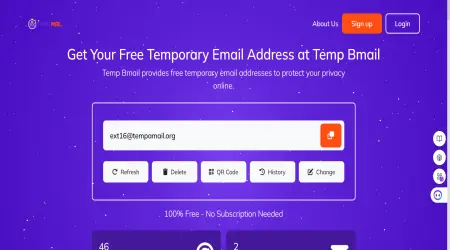
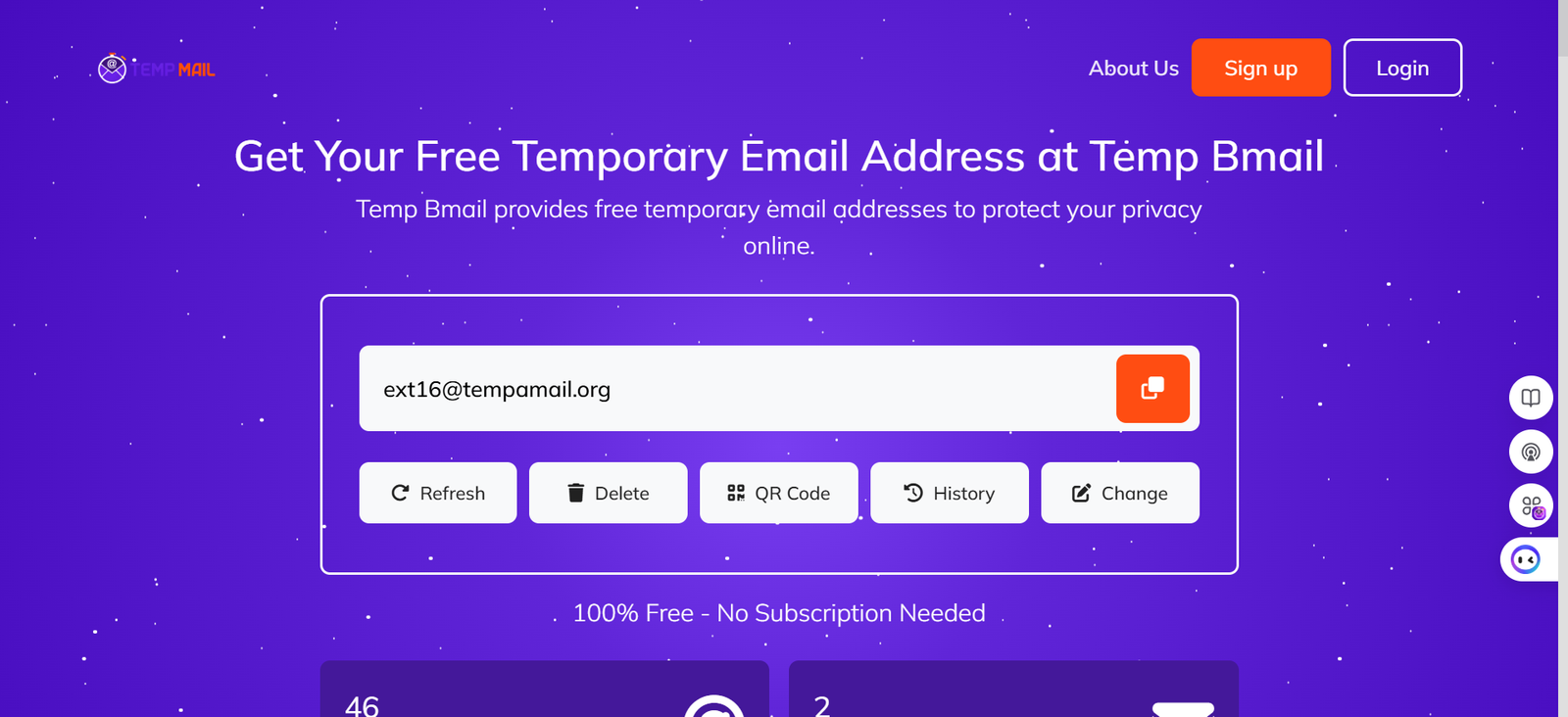
Creating a fake email address takes about five seconds on Temp Bmail. Open the site, copy the address that’s already waiting for you, use it wherever you need it, and collect your email. That’s the short version.
This guide covers the full process, including what to do when a website rejects your address, how to switch domains, how to use the QR code on mobile, and how to make a temp mail address last longer than a single browser session.
What “Fake Email” Actually Means (and What It Doesn’t)
The phrase “fake email address” gets used loosely online, so it’s worth being precise about what we mean because two very different things share that label.
A truly fake address, something invented on the spot like ext16@tempamail.org, doesn’t exist. It has no mail server behind it, no MX record pointing anywhere, and no inbox to deliver to.
If you type it into a sign-up form, one of two things happens: the form rejects it instantly during validation, or the website sends a verification email that never arrives because there’s no real inbox to receive it. Either way, it doesn’t work.
A disposable email address is different. It’s a real, functioning email address that routes through a real mail server. It has a valid MX record, the DNS entry that tells the internet where to deliver email for that domain.
It receives messages via SMTP just like your Gmail account does. The only difference is that it isn’t tied to your identity, and it doesn’t last forever.
When people say they want to “create a fake email,” what they almost always want is a disposable email account: real delivery, zero identity.
ℹ HOW IT WORKS: Why the distinction matters: platforms that ask you to verify your email address need a working inbox. A genuinely fake address fails that test. A disposable temporary email passes it.
There’s also nothing illegal about using a disposable email address. Privacy tools are legitimate.
Using a throwaway inbox to avoid spam, test a web app, or protect your personal email from a website you’re not sure you trust is well within normal, lawful behaviour in the same category as using a VPN or a private browser window.
What matters is how you use it: protecting your own privacy is fine; deceiving others or violating a platform’s terms of service is not.
Step-by-Step: Create a Temporary Email Address with Temp Bmail
Here is the full process, including the parts most guides skip.
Step 1: Open Temp Bmail.
Go to tempbmail.com in any browser on desktop, tablet, or phone. You don’t need to click anything, fill in any form, or create an account.
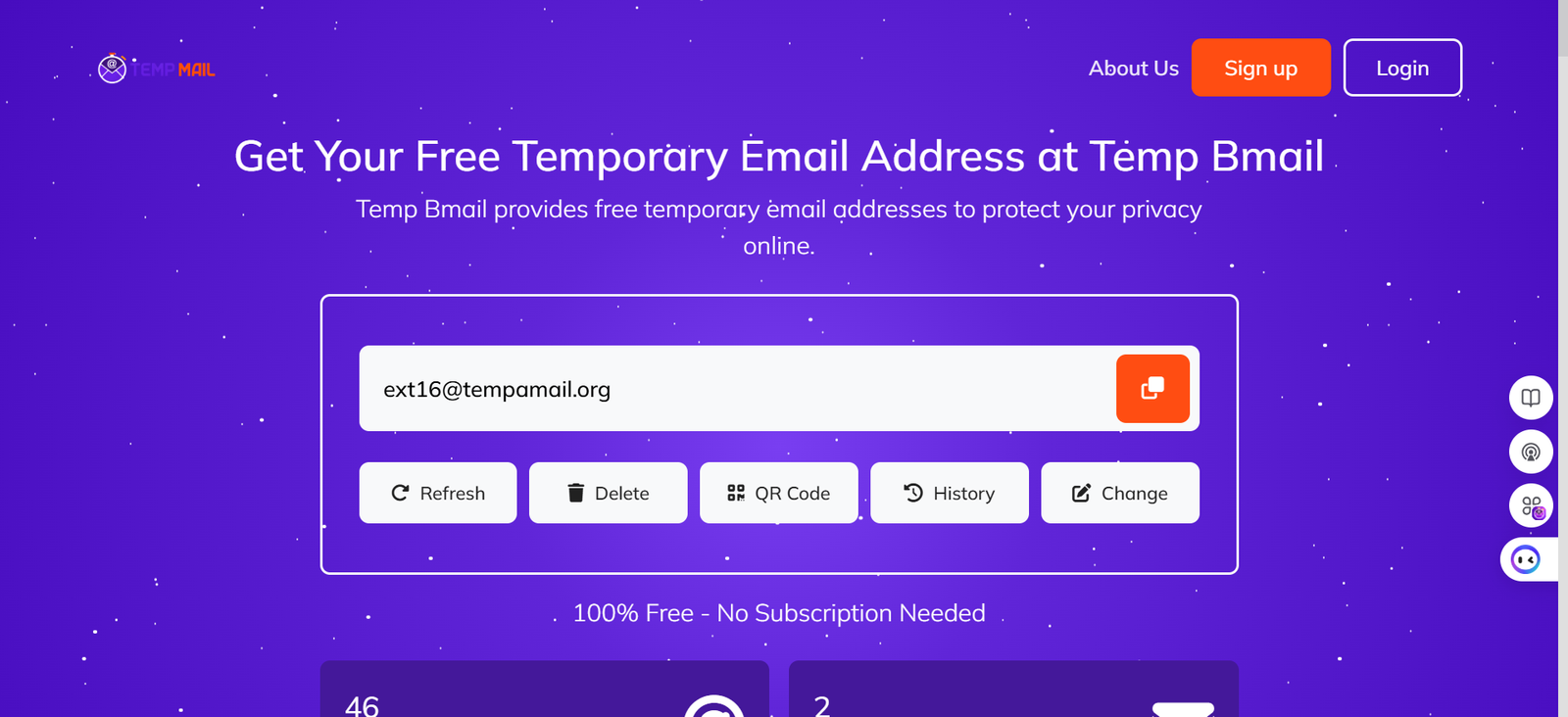
A temporary email address is generated and displayed automatically the moment the page loads. It’s already yours.
Step 2: Copy your address.
Click the copy icon next to your address or select it manually. On mobile, tap and hold to copy.
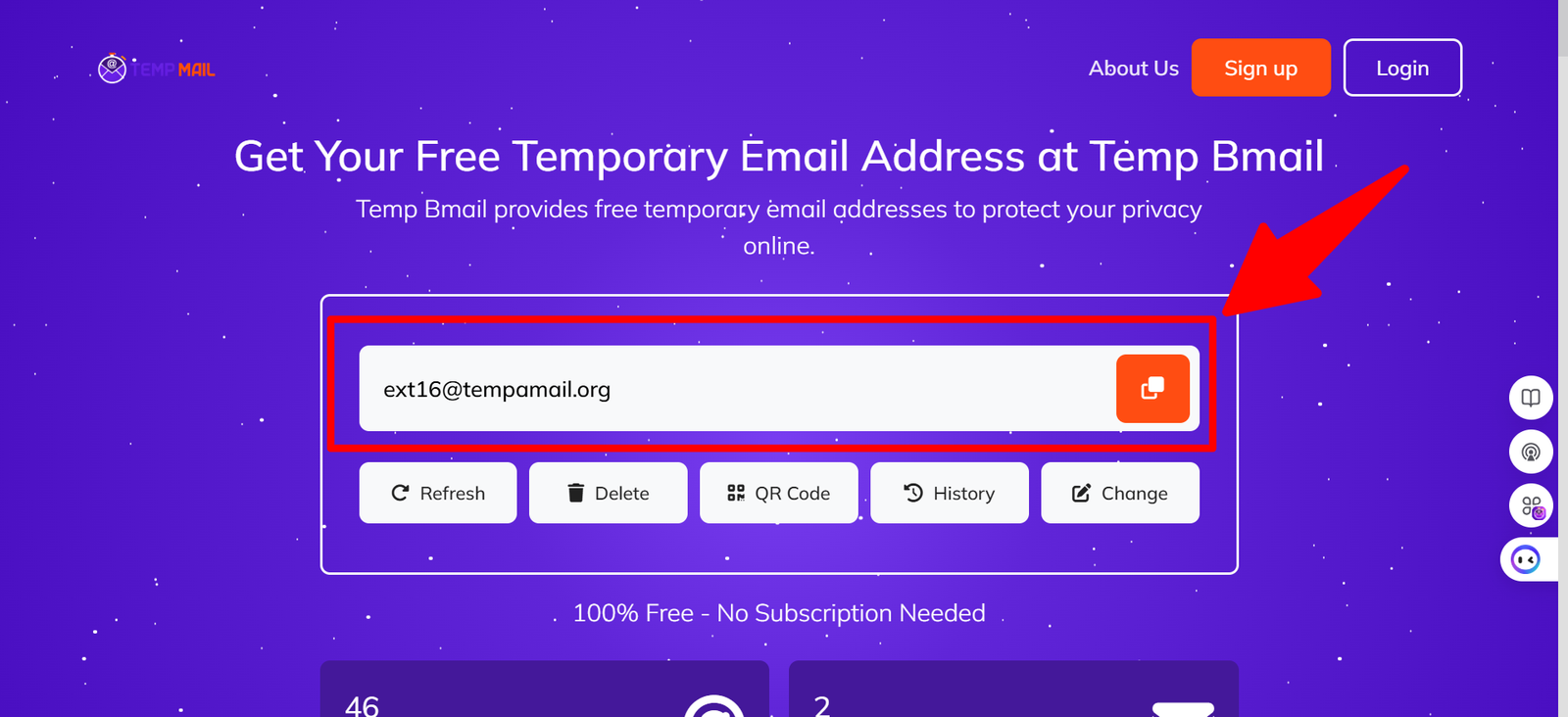
If you’re on a different device and want to use the same address, hit the QR Code button. More on that below.
Step 3: Paste it into the sign-up form.
Go to the website or app that’s asking for your email. Paste your temporary email address into the field. Submit the form as you normally would. The site will send its verification email to your temp mailbox.
Step 4: Return to Temp Bmail and collect the email.
Switch back to your Temp Bmail tab. Emails arrive in real time no page refresh required.
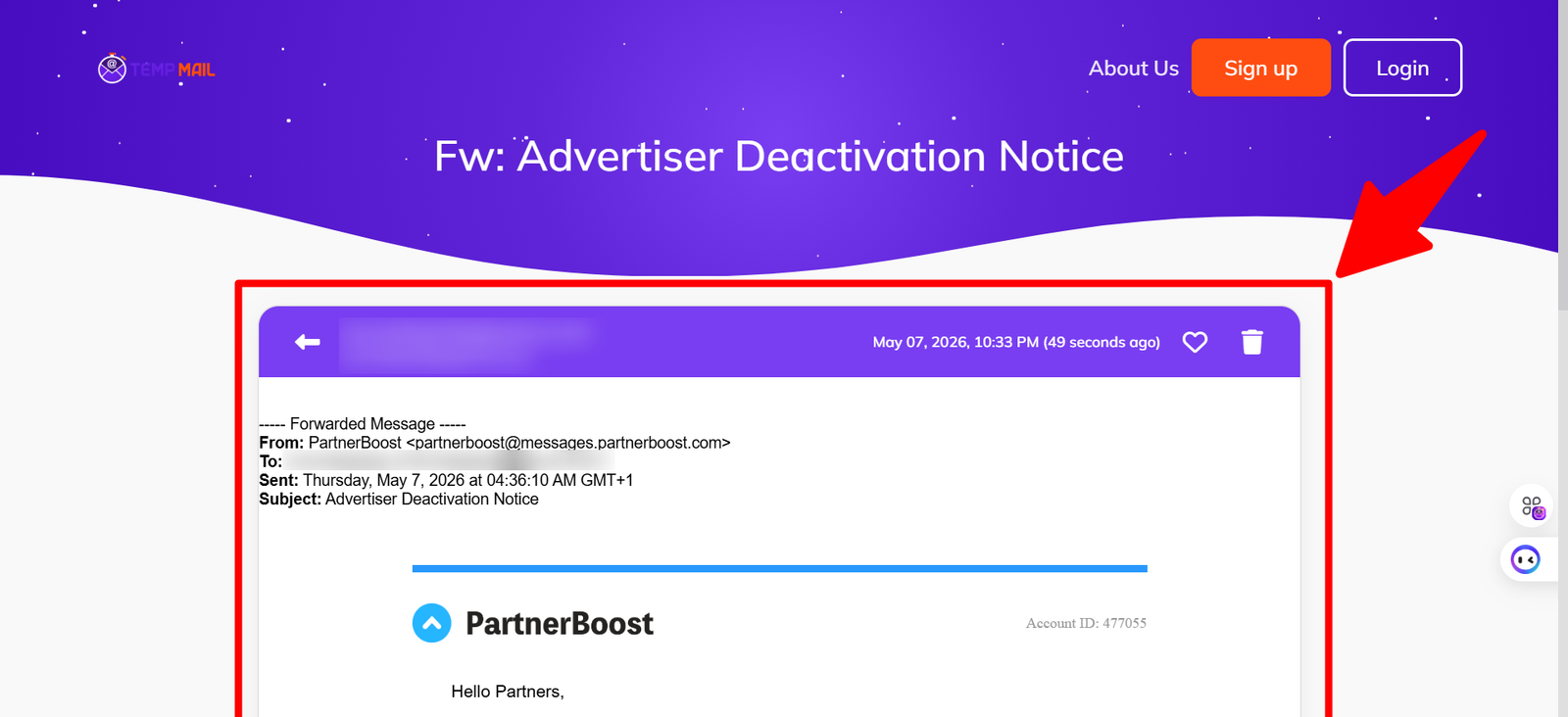
Your verification code, welcome email, or sign-up link will be sitting there waiting. Click it, complete the process, and you’re done.
Step 5: Need to come back? Use Inbox History.
If you close the tab and need to access that address again, use the Inbox History feature on Temp Bmail.
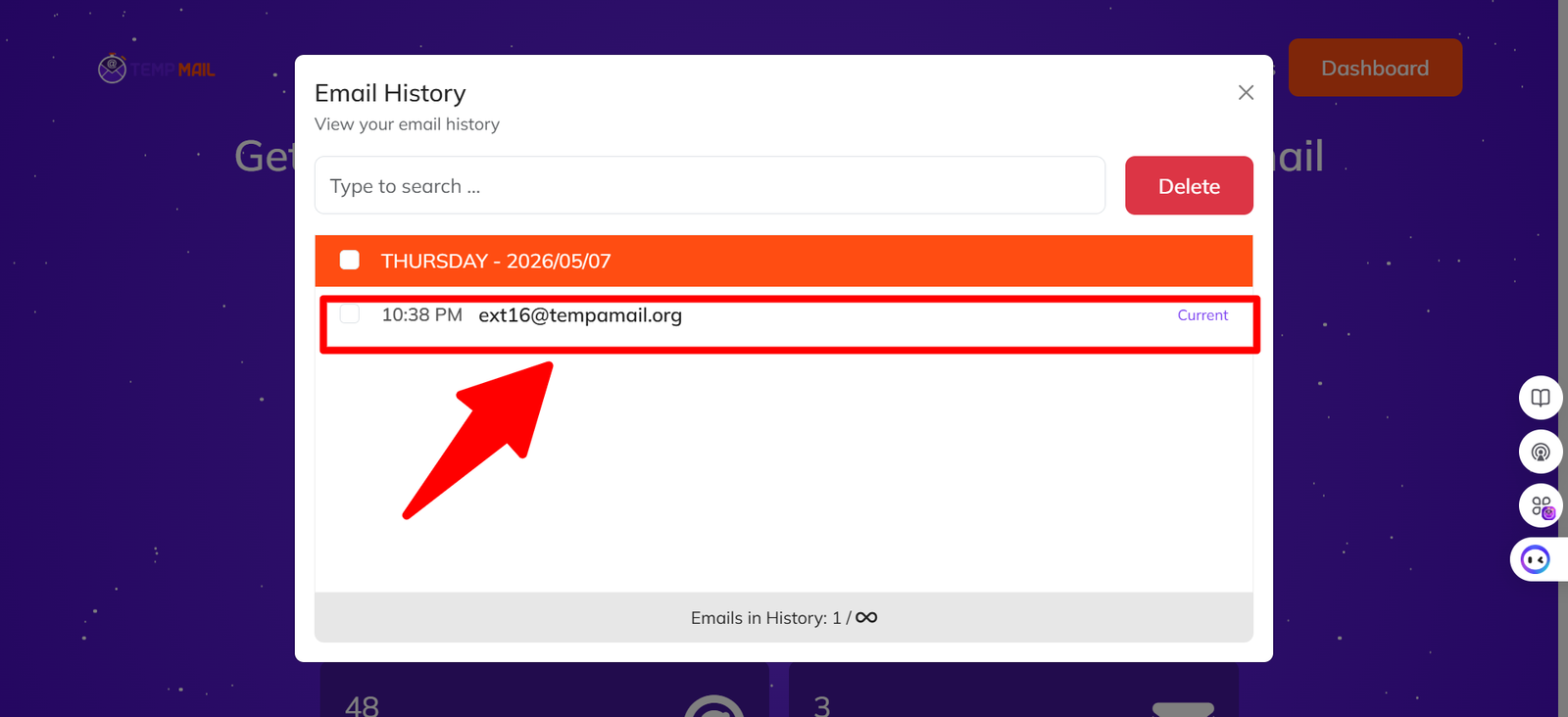
This lets you retrieve previous session addresses rather than starting over with a brand-new one. For persistent access across multiple sessions, creating a free Temp Bmail account saves your address history permanently.
✓ TIP: Getting a verification email that expires quickly? Stay on the Temp Bmail tab while completing the sign-up on another tab. Messages arrive instantly — no delay.
What to Do If a Website Rejects Your Temp Mail Address
This is the friction point that most how-to articles ignore and it’s the most useful thing to understand if you use temporary email regularly.
Some websites maintain blocklists of known disposable email domains. These lists contain domains that appear frequently in spam sign-ups, bot registrations, and trial abuse.
When a sign-up form checks your email against one of these lists and finds a match, it rejects the address. The error message usually says something like “please use a real email address” or “this email provider is not supported.”
The blocklist problem is a domain problem, not a service problem. It’s not that temp mail doesn’t work it’s that the specific domain your address is on has been flagged. The fix is straightforward: switch to a different domain.
How to switch domains on Temp Bmail
- Click the “Change” button next to your current address.
- A dropdown will show the available domains. Select a different one.
- Your new address with the same username but a different domain is generated instantly.
- Copy the new address and use it on the site that rejected the first one.
This is sometimes called domain rotation, and it’s one of the most practical reasons to use a temp mail service with multiple domains available.
Services with only one domain have a single point of failure; if that domain gets blocklisted by the site you need, you’re stuck. Temp Bmail’s multi-domain pool means there’s almost always a working alternative available.
⚠ NOTE: Some platforms — particularly major financial services, government portals, and certain social media sites — run deep verification that goes beyond domain blocklists. For those, a permanent email address is the right choice. See our guide on when not to use temp mail in our
How to Use the QR Code to Move Your Address Between Devices
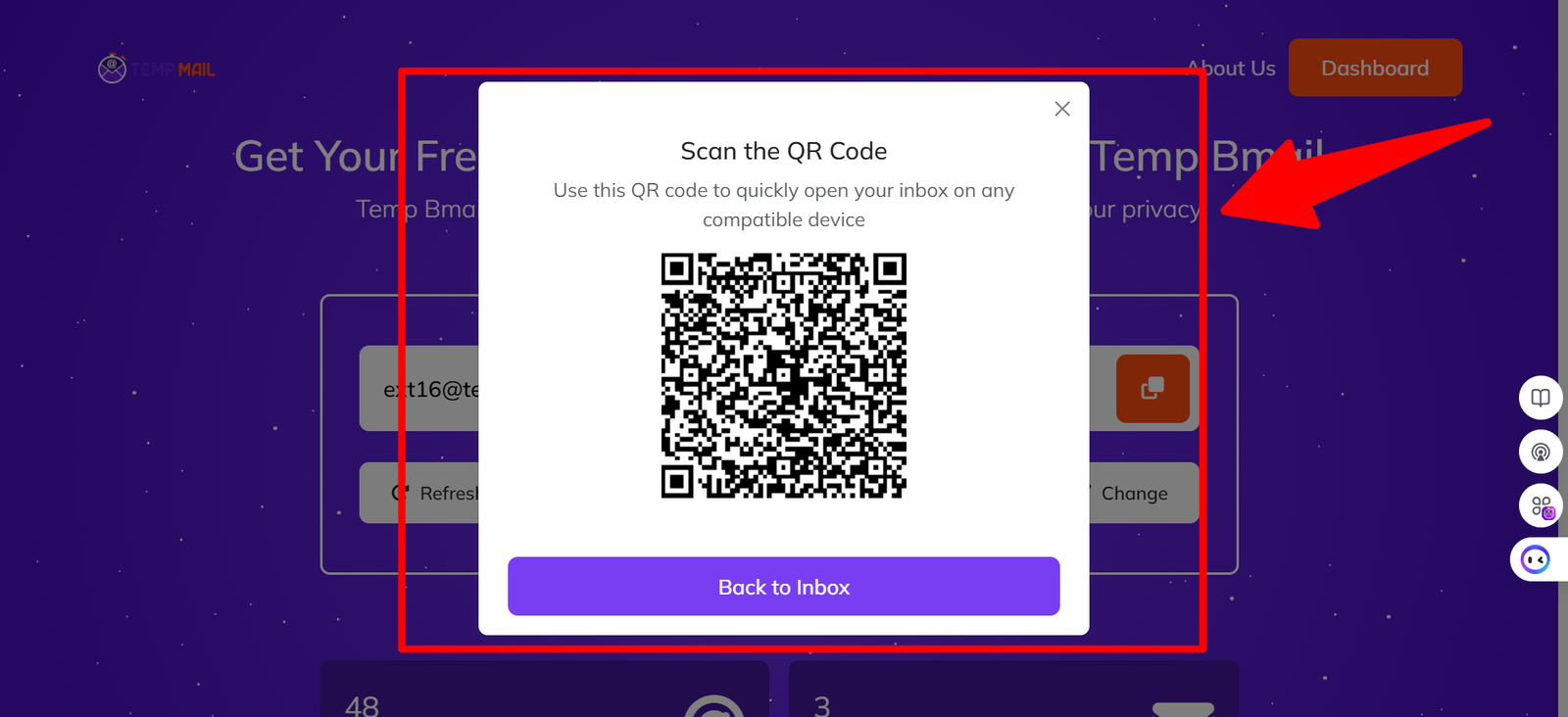
One of the most underused features on Temp Bmail is the QR code. Here’s the scenario it solves: you’re signing up for something on your laptop, but you want to check the verification email on your phone or the other way around.
Instead of typing out your temp mail address manually (which is error-prone with randomly generated strings), you click the QR Code button on Temp Bmail. A scannable code appears. Point your phone camera at it.
Your phone’s browser opens Temp Bmail with the exact same address and inbox already loaded. Both devices are now looking at the same temp mailbox in real time.
- Works across any devices that share the same temporary email address.
- No account login is required; the QR code carries the session information.
- Ideal for workflows where you sign up on one device but need to verify on another.
This is particularly useful for mobile app downloads: sign up on desktop, scan the QR code with your phone, and click the download link from your phone’s temp inbox. The whole flow happens without you ever having to type the address manually.
Can You Create a Fake Email That Lasts Longer?
Yes, and it’s worth understanding the difference between session-based and account-based temp mail before you decide which one you need.
A session-based temp mailbox, which you get by default when you visit Temp Bmail, exists for the duration of your current browser tab. Close the tab, and the link between you and that address is gone (though the address itself may still receive mail). This is fine for most one-time verifications.
If you find yourself regularly needing to come back to a temp mail address for a service that sends follow-up emails, or because you’re testing an app over several days, creating a free Temp Bmail account gives you permanent inbox history and the ability to reuse any previous address.
You can sign up for that account using another disposable email if you prefer to keep the whole thing identity-free.
For more on how temporary email works under the hood, read What Is Temp Mail? our full explainer on the technology and when it makes sense to use it.
Frequently Asked Questions
Is creating a fake email address illegal?
No. Using a disposable email address to protect your privacy is legal. It becomes a legal issue only if it’s used to commit fraud, impersonate someone, or intentionally circumvent a legal obligation. For everyday privacy protection, it’s completely lawful.
What’s the difference between a temp mail address and a temporary Gmail account?
A temporary Gmail account still requires you to register with Google, provide a phone number in many cases, and manage a permanent inbox.
A temp mail address from Temp Bmail requires nothing: no registration, no phone, no identity.
It’s faster, more private, and has no ongoing obligations. If you just need an inbox that works for five minutes, there’s no reason to create a full Gmail account.
Can I send emails from a temp mail address?
Temp Bmail is designed for receiving emails, not sending them. If you need a disposable address that can both send and receive, services like Guerrilla Mail offer that feature, though the use cases for sending from a throwaway address are narrow and come with additional considerations.
Why does the website say my email address is invalid?
Two possibilities: either the site is checking against a domain blocklist and has flagged the Temp Bmail domain you’re using, or the site does real-time MX record lookup and has an issue with the specific domain. In either case, use the Change button on Temp Bmail to switch to a different domain and try again.
How many temporary email addresses can I create?
There is no limit on Temp Bmail. You can generate as many disposable email accounts as you need, switch between domains freely, and use them across as many sign-up forms as you like at no cost.
RELATED READING
→ What Is Temp Mail? How It Works, Who Needs It, and Why Your Real Inbox Thanks You