


The Technology Behind Disposable Email Addresses
Most people use their main email address the way they use a front door key: it opens everything. Work, banking, shopping, entertainment, social accounts, loyalty cards. The problem is that handing that key to every website you visit is exactly how inboxes become unmanageable and personal data ends up on spam lists.
That is the exact problem disposable email addresses were designed to solve, and understanding how the technology works makes you a smarter user of it.
What Is a Disposable Email Address, Exactly?
A disposable email address, sometimes called a temp mail, a throwaway inbox, or a temporary disposable mail, is a real, functioning email address that receives messages exactly like any other. The difference is that it is not tied to your identity, your phone number, or a permanent account.
You generate one, use it for a specific purpose, and when that purpose is done, so is the address. Some services describe this as a temp mailbox: a self-contained, session-based inbox that exists for as long as you need it.
How Email Routing Works
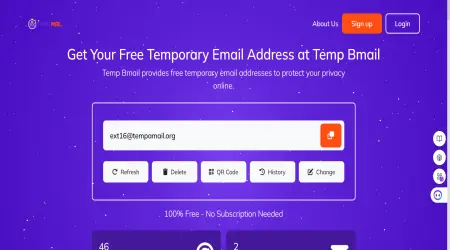
When you create a temporary email address on Temp Bmail, the system assigns you an address on one of our owned domains. Our mail servers are configured to accept inbound messages for every address on those domains, not just pre-registered accounts.
This is the core of how disposable email works: instead of registering each inbox individually, the platform catches all incoming mail and sorts it by address in real time. The moment an email arrives addressed to your session, it appears in your temp mail inbox without any manual refresh.
How Is This Different From Creating a Second Gmail Account?
A lot of people try to work around spam by searching for a temporary Gmail generator or setting up a secondary Gmail account. It works, to a degree, but it still leaves you with an inbox to manage, a password to remember, and a username that Google will eventually link back to your main account through login activity.
Temp mail addresses have no such strings attached. There is no temporary Gmail account to maintain, no recovery email to provide, and no trail connecting the address to your real identity. The moment you close the tab, the session ends. That is a level of separation a secondary account simply cannot offer.
When and Why to Use a Disposable Temporary Email
The assumption that temp email is only for questionable activity is one of the most persistent myths about the technology. Here are some of the most practical and entirely legitimate reasons people reach for a throwaway inbox every day:
- Signing up for a free trial: Streaming and SaaS platforms routinely require an email address to activate a trial, and most make it deliberately difficult to unsubscribe afterward. A temporary email lets you access the trial without giving the company a permanent line into your inbox.
- Testing an app you have built: Developers regularly need to simulate dozens of user sign-ups to test a registration flow. Rather than creating dummy accounts one by one, you can generate as many temp mail addresses as you need in seconds and run the full test suite cleanly.
- Redeeming a one-time offer: Many online stores and competitions ask for your email before handing over a discount code. A temporary address gets you the code without opting you into years of promotional emails.
- Participating in online communities: Forums, chat platforms, and file-sharing services often require email verification. Using a temp email address means your real contact details stay off those servers and off any lists those servers might sell.
- Creating a second account on a platform you already use: Whether it is separating a business and personal profile or testing how a platform looks to a new user, a temporary email makes it simple to create an additional account without managing a second permanent inbox.
What to Look for in a Good Temp Mail Service
Not all temporary email generators are equal. A well-built service generates an address instantly with no registration, keeps the inbox completely anonymous, offers more than one domain to choose from, and delivers messages fast enough to handle time-sensitive verification codes.
Services like 10 Minute Mail are popular because they set a clear expiry on the inbox, which is useful when you want a hard guarantee that the address disappears after a set window. Temp Bmail takes a more flexible approach: your session stays active as long as you need it, with the option to reset or extend it at any time.
You also get inbox history, address reuse, and a mobile-friendly layout that makes managing a disposable email account on a phone just as smooth as on a desktop.
A Word on What Disposable Email Cannot Do
It is worth being clear about the limits. Temp mail addresses are designed for receiving mail, not sending it, so they will not replace your main email for anything that requires a two-way conversation. A small number of platforms also run checks against known temporary email domains and block sign-ups from them.
In those cases, switching to a different domain within Temp Bmail usually resolves the issue. For anything that requires a long-term identity, such as bank accounts, government services, or professional correspondence, your permanent inbox is the right tool. Disposable email addresses are precision instruments, not all-purpose replacements.
The technology behind a temporary email address is simple, which is exactly why it works so well. It puts a thin but effective layer between your real identity and the broader internet, catching what you need, blocking what you do not, and leaving no lasting footprint. Whatever you call it, a temp Gmail, a disposable email account, or just a throwaway address, the outcome is the same: your inbox stays yours.